The Sequence Registry
A registered sequence is a catalog entry, with an identifier the lab can write on a tube, a type naming what kind of thing it is, and the fields that matter for that kind. PL-0001 on a freezer box means one plasmid, and it means the same thing to everyone in the project.
Registration lives in the actions menu at the right of a sequence's top bar, next to Connections, which shows what a sequence came from and what came out of it.
Registering a Sequence
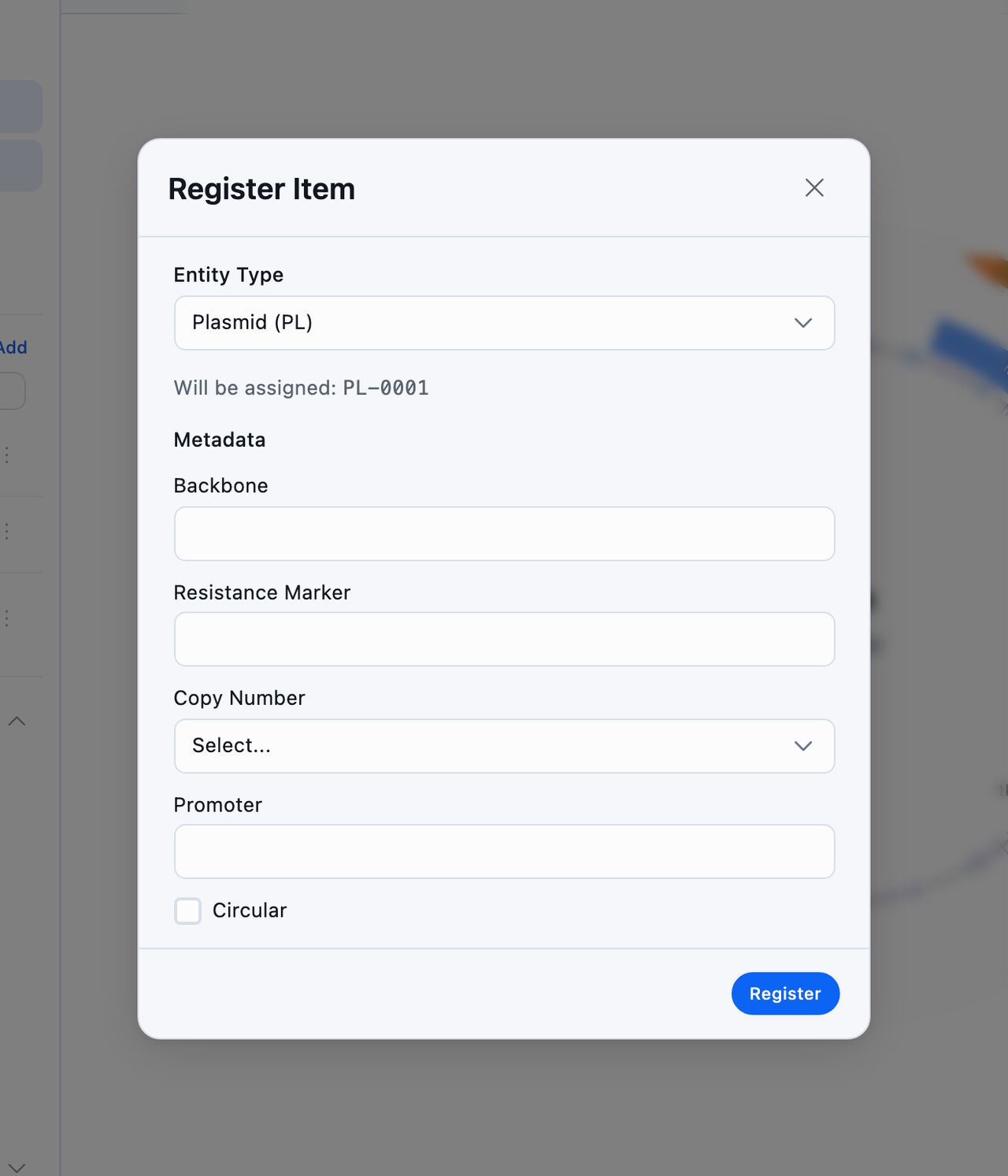
Register Item asks for an Entity Type first, and the type decides both the identifier and the rest of the form. Identifiers count up from one within their type, four digits wide, so the first plasmid is PL-0001. The dialog box shows you which identifier you are about to be given before you commit to it.
| Type | Identifier | What it records |
|---|---|---|
| Plasmid | PL- | Backbone, resistance marker, copy number, promoter, and whether it is circular |
| Strain | ST- | Species, genotype, parent strain, selection marker |
| Oligonucleotide | OL- | Purpose, purification, scale, melting temperature |
| Antibody | AB- | Target, host species, clonality, isotype, supplier, catalog number |
| Cell Line | CL- | Species, tissue, morphology, culture medium, passage number |
Strain and cell line each require a species, and antibody requires a target.
Opening the tool again on a registered sequence gives you Edit Registration for those fields. The type itself is fixed once assigned, because the identifier is built from it.
Unregister frees the identifier and clears that type's fields, and it asks a second time before it does, since the number goes back into circulation and the next registration of that type will take it. Everything else on the sequence stays, including its sign-offs and its comments, so unregistering and registering under a different type is a safe way to correct a mistake.
The Registry Catalog
Registry on the sequences landing opens the catalog on its own. Search it by name, by description, or by identifier such as PL-0001, and narrow it to one entity type with the Type filter. Clicking an entry opens that sequence.
Only registered sequences appear here. The search box beside it matches part of a name, description, registry ID, or tag across the folder you have open and everything inside it, and the registry searches every entry in the catalog.
Connections
Connections draws what a sequence is related to: the sequence it was made from, anything made from it, and the samples and analysis it is linked to.
Conspecta records most of that trail for you. Saving a tool result as a new sequence, saving a BLAST hit from an open sequence, and saving a construct assembly all write down which sequence they came from, so the lineage builds as you work.
A BLAST hit saved from New sequence records no parent. You started at the landing, outside any sequence, so there is no sequence to record as its parent. Run the same search from an open sequence and the trail is kept.
Clicking a node re-centers the map on it, and its menu opens that record, starts a link from it, or removes a link you no longer want. A sequence with no parent and nothing derived from it shows a message saying so.