Instrument booking and analysis for your imaging and flow core
Book your imaging and flow instruments in the same place you take in samples and run analysis for the labs you serve, so scheduling stops being a system of its own.
One analysis platform for every lab you serve
Booking
Book instruments in the same project as the samples the core takes in and the analysis it runs, against the operating hours you set for each one. Maintenance and calibration downtime cancels the sessions it lands on and tells the people who booked them to pick a new slot, and everyone gets a reminder before their session. Charging that instrument time back to each lab's grant stays in the billing system you already use.
Intake
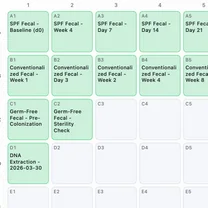
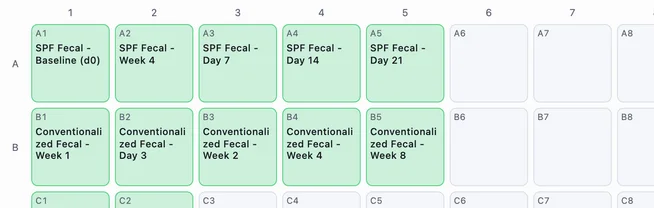
Record every sample the facility takes in with structured metadata, including which lab it belongs to, and group the register by status, so what is on the shelf, checked out, and closed out reads as one list.
Image analysis
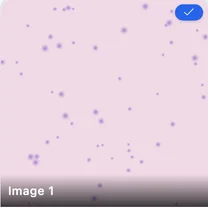
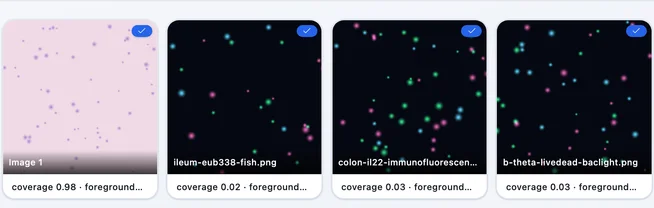
Cell detection, area, intensity, and colocalization on LIF, TIFF, and PNG in any browser, z-stacks included: slice navigation, MIP, average, and sum projections, and counts per plane across a stack. Every user the core serves measures their own data at the same time, on their own laptop, with no install and no per-workstation license.
Flow analysis
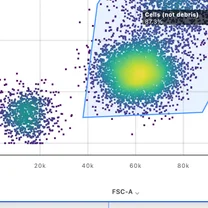
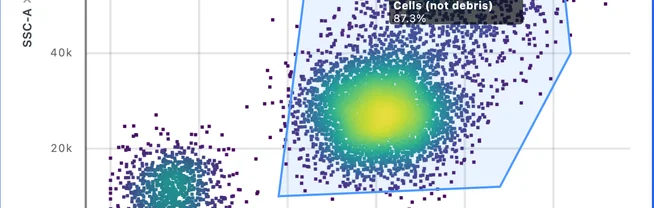
Compensation, gating, and clustering in the browser for every user the core serves, with gating templates the facility can standardize on. A rotation student with one gating run to do opens it on their own laptop.
Delivery
Results land in the PI's own project with the analysis attached, ready to open, re-run, or export to the formats their lab uses. Six months later, the settings that produced a number are still attached to it.
Locations
Map rooms, freezers, and storage, with equipment records for what they hold and the conditions each location maintains. Which freezer holds the returned samples, which room the second cytometer moved to, and what temperature that shelf keeps are all on the record.
Reporting
Report what the facility actually produced: how many labs it served, how much analysis ran, and how many figures came out of it. That is the science the core enabled, which is the case a renewal panel is actually weighing.
Questions a core facility gets asked
How is one PI's data kept separate from another's?
Each lab works in its own project, with its own membership. A user sees the projects they are on and nothing else, so the boundary is enforced by the platform. Team owners and admins can open every project in the team, which is what lets a facility manager pick a lab's work back up when the student who ran it moves on.
Do we need a software license on every analysis workstation?
No. Conspecta runs in the browser, so every user the core serves works on their own data at the same time, on their own laptop, with no install and no admin rights. A rotation student who needs one gating run does it the day they ask.
Can users book instruments, and can we report usage for recharge?
Yes to both, up to the invoice. Each instrument is booked against the operating hours you set for it, maintenance and calibration downtime cancels the sessions it lands on and tells the people who held them, and everyone gets a reminder before their session. The Sessions tab totals booked hours over the billing period you pick, grouped by project, person, or month, and exports either the summary you bill from or every session behind it. Quoting and invoicing stay in the system that does your recharge today, and a script can move the session data into it through the API.
Connect your own systemsWhat do users take away at the end of a session?
The analysis, in the lab's own project, with the settings that produced it attached. Results export as CSV or Excel, gated populations as FCS 3.1, and plots and figures as PNG or SVG, so the lab can keep working on what the core handed back. When a PI asks six months later what the settings were, the run is still there to open.
How is it priced for a facility?
A core serving several labs is on a Business plan, quoted per seat, with single sign-on, custom contract terms, security review questionnaires, data migration, and onboarding priced on top of the seat rate. The academic flat per-lab rate covers one lab rather than a facility. A user the core serves is still free for themselves and one collaborator, so a rotation student can measure their own data at no cost.
Start with one instrument
Upload a run and hand back the analysis instead of a folder of raw files, then see what the labs you serve do with it.