Set up a lab from scratch without buying five tools first
You're not consolidating anything yet. You're deciding what the lab runs on, and those first choices tend to stick. Conspecta is one project with the notebook, the analysis, the samples, and the figures already in it.
The whole lab, in one subscription
Notebook
Notes, protocols, and sign-off live in the same project as the data they describe, so an entry links to the actual image or analysis rather than describing it from memory. From the first week, the entry and the data it covers are in the same place.
Imaging
Cell detection, area, and intensity measurement in the browser on LIF, TIFF, and PNG, z-stacks included, with results attached to the sample and the image they came from. A student on a locked-down laptop with no admin rights opens the same analysis you do.
Flow
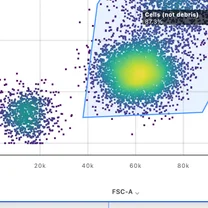
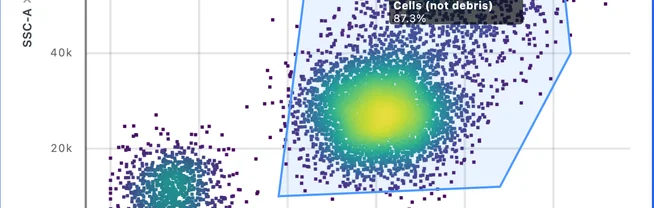
Gating, compensation, and clustering in the browser, saved as a template the lab keeps, so the strategy stays when the student who wrote it graduates. Flow cytometry is free for you and one collaborator.
Figures
Multi-panel figures built from the analysis itself rather than pasted beside it, ready for the lab meeting, the poster, and the paper. Re-run the analysis and the panel follows it.
Samples
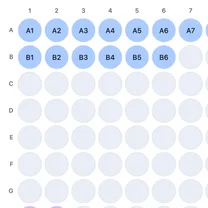
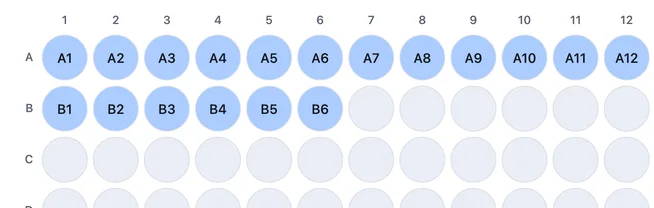
Samples, freezer locations, reagents, and orders from day one, structured enough to be useful and light enough that a new student can use it in an afternoon. It comes with every plan, so the second student joining is a login rather than a purchasing decision.
Sequences
BLAST, CRISPR design, a cloning wizard, primer design, and alignment in the same project as the samples those constructs went into, on the login the lab already has.
Data plan
The organization is the tool rather than a policy someone has to remember. Data, analysis, and notes are linked as you go, and everything exports in standard formats when it's time to share, so the plan you wrote describes what the lab is already doing.
Questions a new lab asks
Is Conspecta free while I am the only person in the lab?
Yes. The free plan covers you and one collaborator, with every workspace, 10 GB of shared storage, and no credit card. Server-side work, meaning AI object detection in image analysis and the flow runs you hand to a server, opens up on a paid plan. Everything else, including gating, compensation, statistics, and figures, runs in the browser.
What happens when I hire my first student?
Nothing changes yet. The free plan holds two people, so you and your first student work in it together. The lab moves to an academic team plan at the third person, a flat rate for the whole lab rather than a per-seat license, and rotation students are added and removed freely up to the plan cap of 10 or 20 people, so a student who is with you for one semester is not a purchasing decision. The subscription belongs to the team, so every project inside it is covered.
Can I name Conspecta in an NIH data management and sharing plan?
Yes, and it can be budgeted. NIH has required a Data Management and Sharing Plan with most applications since January 2023, and the costs of managing and sharing that data are allowable budget expenses. A platform that keeps the raw data, the analysis, and the notes linked, and exports in standard formats, is the infrastructure that plan describes, so it can be a named line in the budget.
Can my students use it on a Chromebook?
Yes. Conspecta runs entirely in the browser, so image analysis and flow cytometry work on a Chromebook, a Mac, or a locked-down institutional laptop with no admin rights and nothing to install. It is cloud-only for the same reason: there is no on-premises install and no offline desktop mode, so a lab whose institution requires software on its own servers is the wrong fit for us.
Will my data be locked in?
No. You can take everything out at any time. Samples, inventory, orders, tables, and analysis results export as Excel, notebook pages as PDFs, sequences as GenBank, images at full resolution, gated flow populations as FCS files, and figures as PNG or SVG. Exports are free and never count toward your usage, and the full project export also carries your sign-offs and the provenance links between records.
Set the lab up before the first sample
Every workspace is included and it stays free while it's just you. Start with one project and grow the lab into it.