Image analysis, samples, and figures in one cell biology workspace
A cell biology experiment ends as a number in a figure. Conspecta keeps the image, the measurement it produced, the dish it came from, and the figure it lands in inside a single project.
The cell biology bench, in one browser tab
Import
Upload LIF, TIFF, PNG, and JPEG into the project your samples already live in, and every series inside a LIF opens in the browser on a Mac, a Chromebook, or a managed university laptop. There is no Bio-Formats setup, no Java runtime, and no admin rights. Conspecta starts after acquisition and does not drive the microscope.
Counting
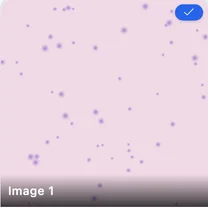
Open an image and a segmentation model counts every cell, with no threshold to nudge between bright and dim fields. The same detector runs across the whole set, and the settings behind a count are stored with the count, so a repeat next year starts from the analysis that produced it.
Measurement
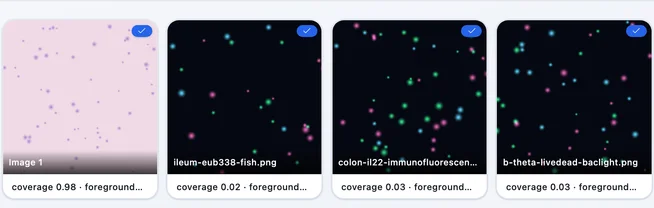
Area coverage (confluency, wound healing, staining), per-cell marker intensity across channels, marker-positive fraction, per-object shape, and colocalization with Pearson's, Manders', and Costes thresholding. Every number names the image and the channel it was read from, and stays in the project beside them.
Plots
Measurements feed charts directly. Re-run a detection and the numbers downstream follow it, and each chart still names the measurement it was built from.
Cultures
Every image links to the dish it was taken from, and that sample carries its passage, treatment, and timepoint into every measurement and plot built from it. The context lives on the record, so it survives any rename.
Writing
Notes, image analysis, and multi-panel figures sit in one project, with panel labels exported together. An entry points at the measurement it describes, so re-running that measurement reaches the panel in the figure.
%22%2F%3E%3Cellipse%20cx%3D%22155.4%22%20cy%3D%22135.2%22%20rx%3D%2211.8%22%20ry%3D%227.7%22%20fill%3D%22url(%23n)%22%2F%3E%3Cellipse%20cx%3D%22325.9%22%20cy%3D%22410%22%20rx%3D%228%22%20ry%3D%227.4%22%20fill%3D%22url(%23n)%22%2F%3E%3Cellipse%20cx%3D%22864.8%22%20cy%3D%22557%22%20rx%3D%2210.6%22%20ry%3D%2214.6%22%20fill%3D%22url(%23n)%22%2F%3E%3Cellipse%20cx%3D%22593%22%20cy%3D%22166.5%22%20rx%3D%229%22%20ry%3D%227.5%22%20fill%3D%22url(%23n)%22%2F%3E%3Cellipse%20cx%3D%22866.8%22%20cy%3D%22688.5%22%20rx%3D%2216.2%22%20ry%3D%2210.4%22%20fill%3D%22url(%23n)%22%2F%3E%3Cellipse%20cx%3D%22864.7%22%20cy%3D%22112.4%22%20rx%3D%229.7%22%20ry%3D%2212.6%22%20fill%3D%22url(%23n)%22%2F%3E%3Cellipse%20cx%3D%22108%22%20cy%3D%22564.4%22%20rx%3D%2216.8%22%20ry%3D%2213%22%20fill%3D%22url(%23n)%22%2F%3E%3Cellipse%20cx%3D%22443.7%22%20cy%3D%22658%22%20rx%3D%228.7%22%20ry%3D%228.6%22%20fill%3D%22url(%23n)%22%2F%3E%3Cellipse%20cx%3D%22982.4%22%20cy%3D%22500.3%22%20rx%3D%2211.1%22%20ry%3D%229.5%22%20fill%3D%22url(%23n)%22%2F%3E%3Cellipse%20cx%3D%22281.9%22%20cy%3D%22714.3%22%20rx%3D%2215.1%22%20ry%3D%2211.6%22%20fill%3D%22url(%23n)%22%2F%3E%3Cellipse%20cx%3D%22617.2%22%20cy%3D%22695.3%22%20rx%3D%226.3%22%20ry%3D%229.6%22%20fill%3D%22url(%23n)%22%2F%3E%3Cellipse%20cx%3D%221238%22%20cy%3D%22545.8%22%20rx%3D%227.4%22%20ry%3D%228.4%22%20fill%3D%22url(%23n)%22%2F%3E%3Cellipse%20cx%3D%22325.6%22%20cy%3D%22209.7%22%20rx%3D%226.9%22%20ry%3D%2211.7%22%20fill%3D%22url(%23n)%22%2F%3E%3Cellipse%20cx%3D%221210.7%22%20cy%3D%22202.4%22%20rx%3D%2210.3%22%20ry%3D%228.3%22%20fill%3D%22url(%23n)%22%2F%3E%3Cellipse%20cx%3D%221204.8%22%20cy%3D%22307.9%22%20rx%3D%2211.8%22%20ry%3D%2216.4%22%20fill%3D%22url(%23n)%22%2F%3E%3Cellipse%20cx%3D%22711.5%22%20cy%3D%22654.2%22%20rx%3D%226.5%22%20ry%3D%227.6%22%20fill%3D%22url(%23n)%22%2F%3E%3Cellipse%20cx%3D%221041.1%22%20cy%3D%22647.8%22%20rx%3D%2211.4%22%20ry%3D%229.4%22%20fill%3D%22url(%23n)%22%2F%3E%3Cellipse%20cx%3D%221113.7%22%20cy%3D%22101.1%22%20rx%3D%2211.1%22%20ry%3D%2212.6%22%20fill%3D%22url(%23n)%22%2F%3E%3Cellipse%20cx%3D%22388.6%22%20cy%3D%22449.3%22%20rx%3D%2210.9%22%20ry%3D%227.9%22%20fill%3D%22url(%23n)%22%2F%3E%3Cellipse%20cx%3D%22538.6%22%20cy%3D%22309.8%22%20rx%3D%2213%22%20ry%3D%228.6%22%20fill%3D%22url(%23n)%22%2F%3E%3Cellipse%20cx%3D%22863.5%22%20cy%3D%22308.7%22%20rx%3D%2218.2%22%20ry%3D%2212.2%22%20fill%3D%22url(%23n)%22%2F%3E%3Cellipse%20cx%3D%22393%22%20cy%3D%22366.3%22%20rx%3D%2212.3%22%20ry%3D%2212.1%22%20fill%3D%22url(%23n)%22%2F%3E%3Cellipse%20cx%3D%22308.2%22%20cy%3D%22438.9%22%20rx%3D%2213.3%22%20ry%3D%228.9%22%20fill%3D%22url(%23n)%22%2F%3E%3Cellipse%20cx%3D%22265.1%22%20cy%3D%22179.3%22%20rx%3D%228.7%22%20ry%3D%227.9%22%20fill%3D%22url(%23n)%22%2F%3E%3Cellipse%20cx%3D%2265.9%22%20cy%3D%22718.5%22%20rx%3D%2211.5%22%20ry%3D%228%22%20fill%3D%22url(%23n)%22%2F%3E%3Cellipse%20cx%3D%22801.3%22%20cy%3D%22281.5%22%20rx%3D%2212.1%22%20ry%3D%229.7%22%20fill%3D%22url(%23n)%22%2F%3E%3Cellipse%20cx%3D%22740.1%22%20cy%3D%22392.7%22%20rx%3D%2211.9%22%20ry%3D%228.5%22%20fill%3D%22url(%23n)%22%2F%3E%3Cellipse%20cx%3D%22573.3%22%20cy%3D%22295.8%22%20rx%3D%2210.5%22%20ry%3D%229.4%22%20fill%3D%22url(%23n)%22%2F%3E%3Cellipse%20cx%3D%22755.2%22%20cy%3D%22560.8%22%20rx%3D%2210.6%22%20ry%3D%229.6%22%20fill%3D%22url(%23n)%22%2F%3E%3Cellipse%20cx%3D%22267.8%22%20cy%3D%22627.6%22%20rx%3D%2217.3%22%20ry%3D%2211.6%22%20fill%3D%22url(%23n)%22%2F%3E%3Cellipse%20cx%3D%221130.4%22%20cy%3D%22447.5%22%20rx%3D%2215.2%22%20ry%3D%2210.1%22%20fill%3D%22url(%23n)%22%2F%3E%3Cellipse%20cx%3D%22203.4%22%20cy%3D%22234.4%22%20rx%3D%2210.7%22%20ry%3D%227.7%22%20fill%3D%22url(%23n)%22%2F%3E%3Cellipse%20cx%3D%2275.2%22%20cy%3D%22725.6%22%20rx%3D%229%22%20ry%3D%2212.7%22%20fill%3D%22url(%23n)%22%2F%3E%3Cellipse%20cx%3D%221256.6%22%20cy%3D%22491.8%22%20rx%3D%228.2%22%20ry%3D%2212.8%22%20fill%3D%22url(%23n)%22%2F%3E%3Cellipse%20cx%3D%221218.6%22%20cy%3D%22552.6%22%20rx%3D%229.1%22%20ry%3D%229.9%22%20fill%3D%22url(%23n)%22%2F%3E%3Cellipse%20cx%3D%221211.5%22%20cy%3D%2248.9%22%20rx%3D%2213.7%22%20ry%3D%229.9%22%20fill%3D%22url(%23n)%22%2F%3E%3Cellipse%20cx%3D%22545.5%22%20cy%3D%22570.3%22%20rx%3D%228.7%22%20ry%3D%2212.1%22%20fill%3D%22url(%23n)%22%2F%3E%3Cellipse%20cx%3D%221253.7%22%20cy%3D%22163.9%22%20rx%3D%2212.4%22%20ry%3D%229.3%22%20fill%3D%22url(%23n)%22%2F%3E%3Cellipse%20cx%3D%22381.2%22%20cy%3D%22293.3%22%20rx%3D%226.8%22%20ry%3D%227.3%22%20fill%3D%22url(%23n)%22%2F%3E%3Cellipse%20cx%3D%22478.4%22%20cy%3D%22450.7%22%20rx%3D%228.7%22%20ry%3D%2212.6%22%20fill%3D%22url(%23n)%22%2F%3E%3Cellipse%20cx%3D%22187.2%22%20cy%3D%22493%22%20rx%3D%2210.3%22%20ry%3D%2210.5%22%20fill%3D%22url(%23n)%22%2F%3E%3Cellipse%20cx%3D%22140.8%22%20cy%3D%2279.2%22%20rx%3D%227.5%22%20ry%3D%2212.6%22%20fill%3D%22url(%23n)%22%2F%3E%3Cellipse%20cx%3D%221214.1%22%20cy%3D%2267.1%22%20rx%3D%2211.4%22%20ry%3D%228%22%20fill%3D%22url(%23n)%22%2F%3E%3Cellipse%20cx%3D%22749.8%22%20cy%3D%22731.1%22%20rx%3D%228.8%22%20ry%3D%227.2%22%20fill%3D%22url(%23n)%22%2F%3E%3Cellipse%20cx%3D%22353%22%20cy%3D%22185.4%22%20rx%3D%2211.6%22%20ry%3D%229.8%22%20fill%3D%22url(%23n)%22%2F%3E%3Cellipse%20cx%3D%22787.5%22%20cy%3D%22338.4%22%20rx%3D%227.3%22%20ry%3D%2212.6%22%20fill%3D%22url(%23n)%22%2F%3E%3Cellipse%20cx%3D%22909.2%22%20cy%3D%22357.8%22%20rx%3D%229.6%22%20ry%3D%2213.5%22%20fill%3D%22url(%23n)%22%2F%3E%3Cellipse%20cx%3D%22866%22%20cy%3D%22270.2%22%20rx%3D%229.5%22%20ry%3D%2216%22%20fill%3D%22url(%23n)%22%2F%3E%3Cellipse%20cx%3D%22309.4%22%20cy%3D%22661%22%20rx%3D%229.6%22%20ry%3D%2210.5%22%20fill%3D%22url(%23n)%22%2F%3E%3Cellipse%20cx%3D%221070.5%22%20cy%3D%22632.4%22%20rx%3D%228.3%22%20ry%3D%228.7%22%20fill%3D%22url(%23n)%22%2F%3E%3Cellipse%20cx%3D%22523.5%22%20cy%3D%22142.5%22%20rx%3D%228%22%20ry%3D%2210.6%22%20fill%3D%22url(%23n)%22%2F%3E%3Cellipse%20cx%3D%22460.4%22%20cy%3D%22174.8%22%20rx%3D%2212%22%20ry%3D%2212.5%22%20fill%3D%22url(%23n)%22%2F%3E%3Cellipse%20cx%3D%221114.4%22%20cy%3D%22373%22%20rx%3D%229%22%20ry%3D%2214.5%22%20fill%3D%22url(%23n)%22%2F%3E%3Cellipse%20cx%3D%22504.3%22%20cy%3D%22344.7%22%20rx%3D%228.8%22%20ry%3D%2210%22%20fill%3D%22url(%23n)%22%2F%3E%3Cellipse%20cx%3D%22893.5%22%20cy%3D%22545.6%22%20rx%3D%2210.5%22%20ry%3D%2213.8%22%20fill%3D%22url(%23n)%22%2F%3E%3Cellipse%20cx%3D%22111.8%22%20cy%3D%22262%22%20rx%3D%2211.2%22%20ry%3D%227.7%22%20fill%3D%22url(%23n)%22%2F%3E%3Cellipse%20cx%3D%221021.1%22%20cy%3D%2251.9%22%20rx%3D%2212.5%22%20ry%3D%228.9%22%20fill%3D%22url(%23n)%22%2F%3E%3Cellipse%20cx%3D%221193.6%22%20cy%3D%22351.6%22%20rx%3D%2213.3%22%20ry%3D%2210.2%22%20fill%3D%22url(%23n)%22%2F%3E%3Cellipse%20cx%3D%221107.9%22%20cy%3D%22523.3%22%20rx%3D%2211.7%22%20ry%3D%2210.2%22%20fill%3D%22url(%23n)%22%2F%3E%3Cellipse%20cx%3D%22579.2%22%20cy%3D%22483.3%22%20rx%3D%2211.8%22%20ry%3D%229.5%22%20fill%3D%22url(%23n)%22%2F%3E%3Cellipse%20cx%3D%22273.9%22%20cy%3D%22492.6%22%20rx%3D%2214.2%22%20ry%3D%229.7%22%20fill%3D%22url(%23n)%22%2F%3E%3Cellipse%20cx%3D%22342.2%22%20cy%3D%2241.2%22%20rx%3D%228.6%22%20ry%3D%229.3%22%20fill%3D%22url(%23n)%22%2F%3E%3Cellipse%20cx%3D%221175.7%22%20cy%3D%22177.2%22%20rx%3D%2212.1%22%20ry%3D%228%22%20fill%3D%22url(%23n)%22%2F%3E%3Cellipse%20cx%3D%221009.1%22%20cy%3D%22162.2%22%20rx%3D%2212.8%22%20ry%3D%2213.1%22%20fill%3D%22url(%23n)%22%2F%3E%3Cellipse%20cx%3D%22908%22%20cy%3D%22712%22%20rx%3D%228.3%22%20ry%3D%2213.4%22%20fill%3D%22url(%23n)%22%2F%3E%3Cellipse%20cx%3D%221159.4%22%20cy%3D%22558.7%22%20rx%3D%2210.5%22%20ry%3D%228.9%22%20fill%3D%22url(%23n)%22%2F%3E%3Cellipse%20cx%3D%22154.6%22%20cy%3D%2279.7%22%20rx%3D%228.5%22%20ry%3D%229.6%22%20fill%3D%22url(%23n)%22%2F%3E%3Cellipse%20cx%3D%22224.4%22%20cy%3D%22358.1%22%20rx%3D%2211.6%22%20ry%3D%2212.6%22%20fill%3D%22url(%23n)%22%2F%3E%3Cellipse%20cx%3D%221051.7%22%20cy%3D%22167.9%22%20rx%3D%2211.6%22%20ry%3D%227.5%22%20fill%3D%22url(%23n)%22%2F%3E%3Cellipse%20cx%3D%2272%22%20cy%3D%22469.1%22%20rx%3D%2210.6%22%20ry%3D%227.9%22%20fill%3D%22url(%23n)%22%2F%3E%3Cellipse%20cx%3D%221191.6%22%20cy%3D%22274.6%22%20rx%3D%228.9%22%20ry%3D%229.4%22%20fill%3D%22url(%23n)%22%2F%3E%3Cellipse%20cx%3D%22817.4%22%20cy%3D%22690.6%22%20rx%3D%2211.1%22%20ry%3D%2210.6%22%20fill%3D%22url(%23n)%22%2F%3E%3Cellipse%20cx%3D%2265.6%22%20cy%3D%22571.6%22%20rx%3D%228.8%22%20ry%3D%229.5%22%20fill%3D%22url(%23n)%22%2F%3E%3Cellipse%20cx%3D%22255.4%22%20cy%3D%22307.3%22%20rx%3D%2211.3%22%20ry%3D%2214.1%22%20fill%3D%22url(%23n)%22%2F%3E%3Cellipse%20cx%3D%221235%22%20cy%3D%22149.2%22%20rx%3D%2211.8%22%20ry%3D%228.4%22%20fill%3D%22url(%23n)%22%2F%3E%3Cellipse%20cx%3D%221248.8%22%20cy%3D%2267.6%22%20rx%3D%2212.1%22%20ry%3D%229.9%22%20fill%3D%22url(%23n)%22%2F%3E%3Cellipse%20cx%3D%22846.1%22%20cy%3D%22688.1%22%20rx%3D%228.8%22%20ry%3D%229.3%22%20fill%3D%22url(%23n)%22%2F%3E%3Cellipse%20cx%3D%22546.3%22%20cy%3D%22233.5%22%20rx%3D%2213.7%22%20ry%3D%2211.2%22%20fill%3D%22url(%23n)%22%2F%3E%3Cellipse%20cx%3D%22630.1%22%20cy%3D%22705.8%22%20rx%3D%2212.1%22%20ry%3D%2211.5%22%20fill%3D%22url(%23n)%22%2F%3E%3Cellipse%20cx%3D%22664.5%22%20cy%3D%22343.7%22%20rx%3D%229.4%22%20ry%3D%2210.4%22%20fill%3D%22url(%23n)%22%2F%3E%3Cellipse%20cx%3D%22725.5%22%20cy%3D%22286.4%22%20rx%3D%2212.1%22%20ry%3D%2210.1%22%20fill%3D%22url(%23n)%22%2F%3E%3Cellipse%20cx%3D%22876.3%22%20cy%3D%22290.9%22%20rx%3D%2212.1%22%20ry%3D%2211.7%22%20fill%3D%22url(%23n)%22%2F%3E%3Cellipse%20cx%3D%22738.6%22%20cy%3D%22569.4%22%20rx%3D%2212.6%22%20ry%3D%2211.6%22%20fill%3D%22url(%23n)%22%2F%3E%3Cellipse%20cx%3D%22673.6%22%20cy%3D%22714.2%22%20rx%3D%2213.5%22%20ry%3D%2210.2%22%20fill%3D%22url(%23n)%22%2F%3E%3Cellipse%20cx%3D%22431.3%22%20cy%3D%22521.4%22%20rx%3D%2211.1%22%20ry%3D%228.8%22%20fill%3D%22url(%23n)%22%2F%3E%3Cellipse%20cx%3D%22133.3%22%20cy%3D%22269.9%22%20rx%3D%2210.4%22%20ry%3D%229.5%22%20fill%3D%22url(%23n)%22%2F%3E%3Cellipse%20cx%3D%22264.1%22%20cy%3D%22433.8%22%20rx%3D%2213.1%22%20ry%3D%2211.8%22%20fill%3D%22url(%23n)%22%2F%3E%3Cellipse%20cx%3D%22574.8%22%20cy%3D%22456.5%22%20rx%3D%229.4%22%20ry%3D%2216.1%22%20fill%3D%22url(%23n)%22%2F%3E%3Cellipse%20cx%3D%221071.6%22%20cy%3D%22301.6%22%20rx%3D%221.5%22%20ry%3D%221.1%22%20fill%3D%22url(%23n)%22%2F%3E%3Cellipse%20cx%3D%22459.3%22%20cy%3D%22408.6%22%20rx%3D%224.2%22%20ry%3D%222.7%22%20fill%3D%22url(%23n)%22%2F%3E%3Cellipse%20cx%3D%22840.7%22%20cy%3D%22310.8%22%20rx%3D%221.1%22%20ry%3D%221.9%22%20fill%3D%22url(%23n)%22%2F%3E%3Cellipse%20cx%3D%22312.1%22%20cy%3D%22329.6%22%20rx%3D%222.5%22%20ry%3D%223.4%22%20fill%3D%22url(%23n)%22%2F%3E%3Cellipse%20cx%3D%22972.4%22%20cy%3D%22157.6%22%20rx%3D%222.4%22%20ry%3D%221.6%22%20fill%3D%22url(%23n)%22%2F%3E%3Cellipse%20cx%3D%22975.1%22%20cy%3D%22474.6%22%20rx%3D%223.2%22%20ry%3D%225.2%22%20fill%3D%22url(%23n)%22%2F%3E%3Cellipse%20cx%3D%22792%22%20cy%3D%22697.5%22%20rx%3D%222.5%22%20ry%3D%221.8%22%20fill%3D%22url(%23n)%22%2F%3E%3Cellipse%20cx%3D%221137.9%22%20cy%3D%22656.5%22%20rx%3D%223.1%22%20ry%3D%223.4%22%20fill%3D%22url(%23n)%22%2F%3E%3Cellipse%20cx%3D%22186.5%22%20cy%3D%2241.6%22%20rx%3D%224.7%22%20ry%3D%223.1%22%20fill%3D%22url(%23n)%22%2F%3E%3Cellipse%20cx%3D%22113%22%20cy%3D%22521.8%22%20rx%3D%221.8%22%20ry%3D%222.9%22%20fill%3D%22url(%23n)%22%2F%3E%3Cellipse%20cx%3D%2273.3%22%20cy%3D%22589.1%22%20rx%3D%224.2%22%20ry%3D%223.2%22%20fill%3D%22url(%23n)%22%2F%3E%3Cellipse%20cx%3D%22181.5%22%20cy%3D%22644.9%22%20rx%3D%221.9%22%20ry%3D%223%22%20fill%3D%22url(%23n)%22%2F%3E%3Cellipse%20cx%3D%221183.4%22%20cy%3D%22223.7%22%20rx%3D%221.6%22%20ry%3D%221.4%22%20fill%3D%22url(%23n)%22%2F%3E%3Cellipse%20cx%3D%221252.5%22%20cy%3D%22459.9%22%20rx%3D%223%22%20ry%3D%223.3%22%20fill%3D%22url(%23n)%22%2F%3E%3C%2Fsvg%3E)
Questions cell biology labs ask
Can I count cells without writing a macro?
Yes. Open an image and answer a couple of questions about what you are looking at, and Conspecta assembles the detection pipeline from your answers, with no algorithm to choose and no threshold to tune. Tune it on one image, watching the result redraw as you change a setting, then run it across the whole set. The settings behind a count are stored with the count, so repeating the experiment next year starts from the analysis.
Can I open a LIF file without installing anything?
Yes. LIF, TIFF, PNG, and JPEG open directly in the browser, and every series inside a LIF becomes an image with its z-slices, channels, and timepoints intact. There is no Bio-Formats setup, no Java runtime, and no admin rights, so a Chromebook or a managed university laptop behaves like the lab workstation.
Can I measure colocalization?
Yes: Pearson's correlation, Manders' coefficients, and Costes thresholding, alongside per-cell marker intensity across channels and marker-positive classification. Each result stays attached to the image and the sample it came from, so a number in a figure traces back to the dish that produced it. Colocalization reads real acquisition channels, so it works on a LIF and on a multi-channel TIFF rather than on a flattened RGB export.
Does Conspecta do 3D reconstruction?
No. Surface reconstruction and filament tracing are outside what Conspecta does, and that tier belongs on a GPU workstation. What it covers on the same stacks is plane-by-plane viewing, a 3D view you can rotate, maximum intensity, average, and sum projections, counting, intensity, and colocalization, each measurement still tied to the dish it came from.
How much does image analysis cost?
Conspecta is free for you and one collaborator, with no credit card. Academic teams pay a flat per-lab rate for a shared workspace rather than a per-seat license, so a rotation student does not add a line to the invoice. Detecting objects with a model runs on our servers and draws on the monthly compute usage a paid plan includes, counted per image. Brightness-cutoff detection, the guided builder, and every bit of tuning before you commit a run happen in your browser and are free.
See it on your own plate
Upload one image set and run a detection. The counts come back attached to the images they were measured from, not in a separate spreadsheet.